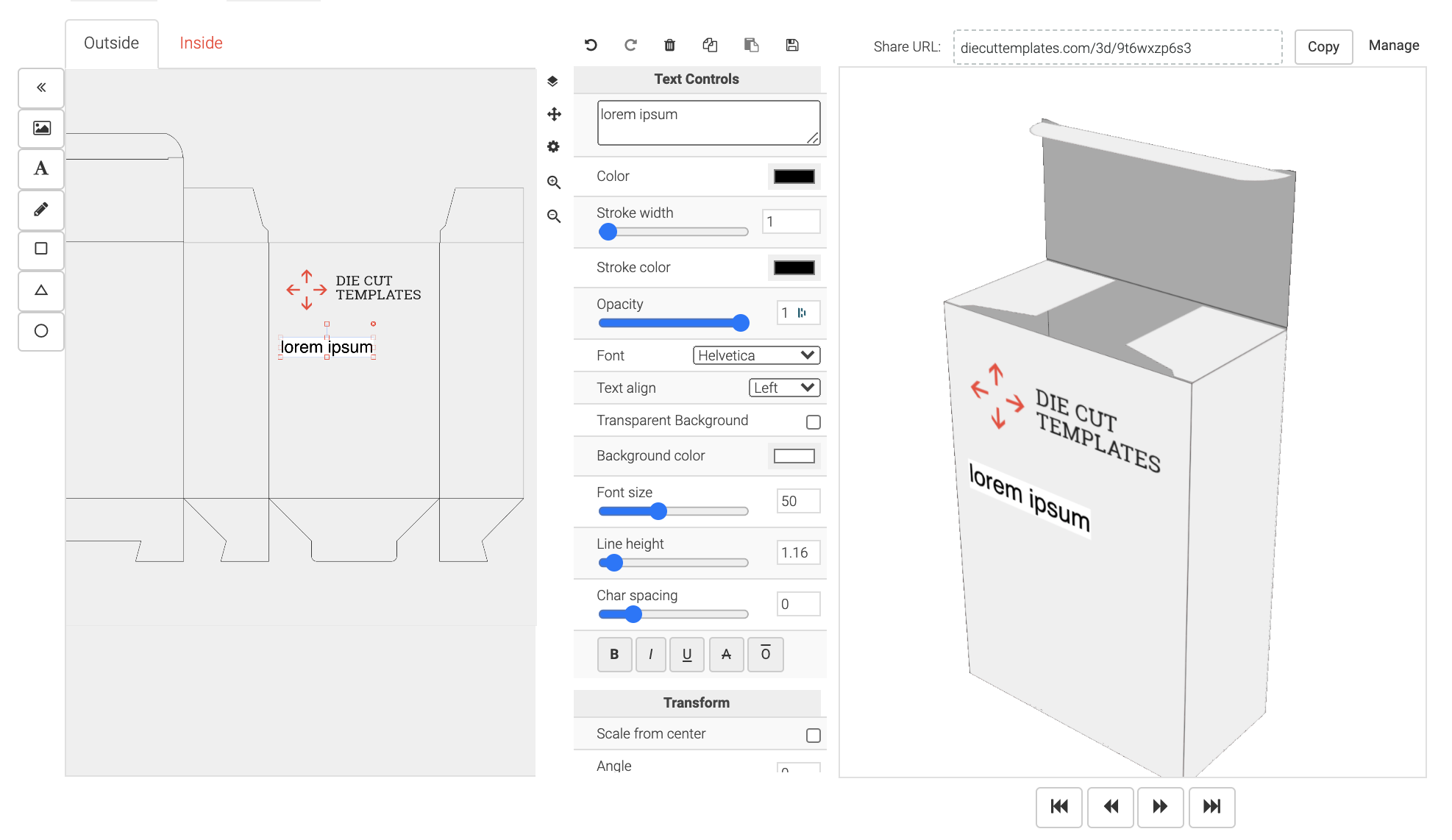
Upload an image file with artwork and create a hosted 3D mockup page for a custom dieline.
| dieline_id string |
Unique identifier for the "dieline" object required Example: "di_fwe4iu3vngty" |
| file file |
Artwork (image) file to upload. Allowed file extensions are PNG, JPEG, JPG, SVG or PDF. For example: 
|
| name string | Name of the 3D mockup |
| outside_design boolean |
Boolean flag indicating whether the uploaded file is intended for the inside or outside of the box. Default is "true". When set to "false", it means the uploaded file is for the "inside_design" |
| scene_background_color string |
Optional hex color for the 3D scene background behind the box, for example "#707070" .
Useful when the default grey blends into a grey box. Defaults to the standard grey background when omitted. |
| substrate string |
Optional substrate (box material) the mockup is rendered with. Pass one of the
substrate keys below to render with that material, or an empty string to force the
plain material. An unknown key returns a 400.
When omitted, the mockup uses the box material's default substrate: corrugated boxes default to "corrugated_brown" and hard-cardboard boxes to "gray_hardcardboards" ; all other box types default to the plain material. Available substrates: "black_embossedpaper" — Black Embossed paper "black_hardcardboards" — Black Hard Cardboards "corrugated_brown" — Corrugated Brown "corrugated_white" — Corrugated White "gray_hardcardboards" — Gray Hard Cardboards "kraft_brown" — Kraft Brown "kraft_hardcardboards" — Kraft Hard Cardboards "white_embossedpaper" — White Embossed paper "white_hardcardboards" — White Hard Cardboards "white_sbs" — White SBS |
| part_substrates object |
For boxes whose faces use more than one material (e.g. a body plus a separate
"Cover"), a map of part number to substrate key — for example
part_substrates[1]="corrugated_brown" .
The substrate field above dresses the body; each
named part is dressed by its own entry here. Each value accepts a substrate key (from
the list above) or an empty string for that part's plain material; an unknown key
returns a 400.
Discover the parts a dieline accepts — their numbers and names — from the substrate_parts array on the dieline response (each entry gives the exact param to send). |
This object represents a 3D mockup, which is a three-dimensional visualization of a dieline with custom artwork.
| type string | "3d_mockup" |
| id string | Unique ID for the 3D mockup. For example: "llnmb1oh8r" |
| url URL |
Hosted URL for the 3D Mockup For example: https://www.diecuttemplates.com/3d/llnmb1oh8r |
| name string | Name of the 3D mockup, if specified during creation. |
| dieline dieline | Dieline for the 3d mockup. |
| links [3d_mockup_link] |
curl -i -X POST \
https://api.diecuttemplates.com/dielines/di_fwe4iu3vngty/3d-mockups \
  -H 'Authorization: Bearer <YOUR_DIELINES_API_KEY_HERE>' \
  -H "Content-Type: multipart/form-data" \
  -H 'Dielines-Api-Version: 1.0'
  -F "file=@/path/to/your/artwork.png" \
  -F "name=my design" \
  -F "outside_design=false"
require 'net/http'
require 'uri'
require 'json'

# Define the endpoint and headers
uri = URI('https://api.diecuttemplates.com/dielines/di_fwe4iu3vngty/3d-mockups ')
headers = {
  'Authorization' => 'Bearer <YOUR_DIELINES_API_KEY_HERE>',
  'Dielines-Api-Version' => '1.0'
}

# Create the form data
form_data = [
  ['file', File.open('/path/to/your/artwork.png')],
  ['name', 'my design'],
  ['outside_design', 'false'] # 'false' is sent as a string
]

# Make the HTTP request
http = Net::HTTP.new(uri.host, uri.port)
http.use_ssl = true

request = Net::HTTP::Post.new(uri, headers)
request.set_form form_data, 'multipart/form-data'

response = http.request(request)

# Output the response
puts "Status Code: #{response.code}"
puts "Response Body: #{response.body}"
// Define the endpoint and headers
$url = "https://api.diecuttemplates.com/dielines/di_fwe4iu3vngty/3d-mockups ";
$headers = [
    "Authorization: Bearer <YOUR_DIELINES_API_KEY_HERE>",
    "Dielines-Api-Version: 1.0"
];

// Initialize cURL
$ch = curl_init();

// Attach the file and form data
$filePath = "/path/to/your/artwork.png"; // Replace with the actual file path
$postFields = [
    "file" => new CURLFile($filePath),
    "name" => "my design",
    "outside_design" => "false" // 'false' is sent as a string
];

// Set cURL options
curl_setopt($ch, CURLOPT_URL, $url);
curl_setopt($ch, CURLOPT_POST, true);
curl_setopt($ch, CURLOPT_POSTFIELDS, $postFields);
curl_setopt($ch, CURLOPT_HTTPHEADER, $headers);
curl_setopt($ch, CURLOPT_RETURNTRANSFER, true);

// Execute the request
$response = curl_exec($ch);
$httpCode = curl_getinfo($ch, CURLINFO_HTTP_CODE);

// Handle errors
if (curl_errno($ch)) {
    echo "cURL Error: " . curl_error($ch);
} else {
    // Output the response
    echo "HTTP Status Code: " . $httpCode . PHP_EOL;
    echo "Response Body: " . $response . PHP_EOL;
}

// Close the cURL session
curl_close($ch);
application/json {
"3d_mockup": {
"type": "3d_mockup",
"id": "llnmb1oh8r",
"url": "https://www.diecuttemplates.com/3d/llnmb1oh8r",
"name": "My design",
"dieline": {
"type": "dieline",
"id": "ueipnpyp0rlw",
"dieline_template_id": "becf-10301",
"variables": {
"unit": "mm",
"length": 250.0,
"width": 200.0,
"height": 200.0,
"material": 0.389
},
"format": "pdf",
"url": "https://d2atdwxjx7uc4i.cloudfront.net/campaigns/0e9d742f-bdcd-4b41-8122-88e0426d263f20241218-14172-y29ocn.pdf",
"artwork_dimensions": {
"unit": "mm",
"width": "723.06",
"height": "502.44"
},
"created_at": "2024-12-18T19:27:22Z"
},
"links": [
{
"rel": "update",
"href": "/dielines/ueipnpyp0rlw/3d-mockups/llnmb1oh8r",
"method": "PUT"
},
{
"rel": "delete",
"href": "/dielines/ueipnpyp0rlw/3d-mockups/llnmb1oh8r",
"method": "DELETE"
}
]
}
}